
3000 Nit Outdoor Display Performance: Why High Brightness Still Fails Outdoors
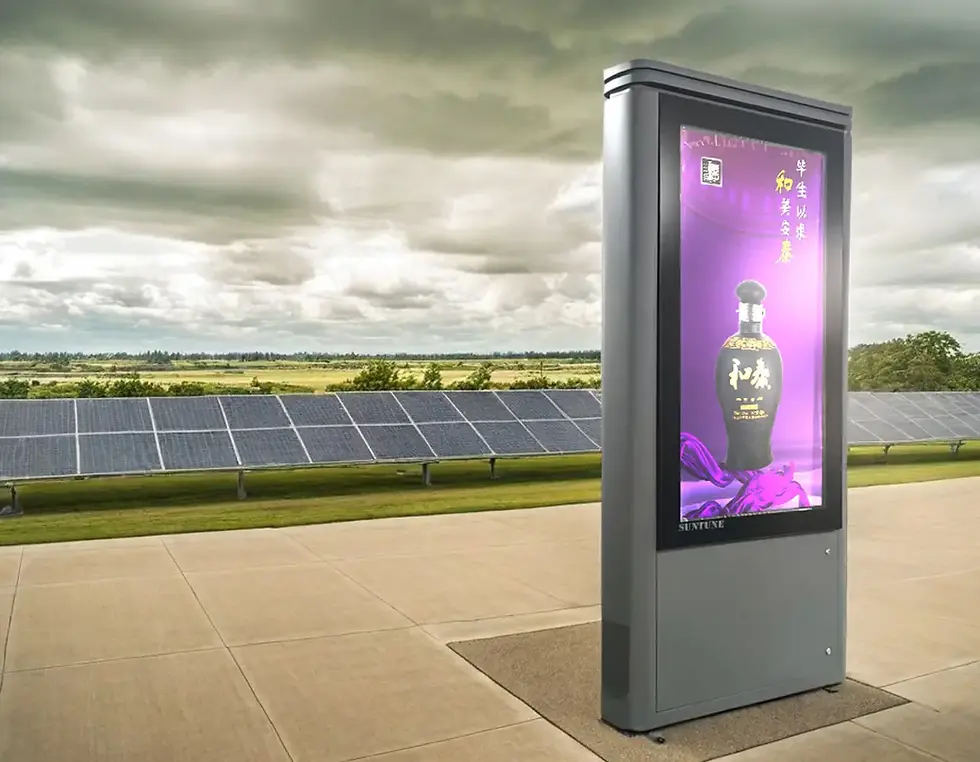
A manufacturer specifies an outdoor LCD display at 3,000 nits. The technical datasheet looks impressive. The product photographs show a bright, vivid screen. The installation team expects excellent visibility under direct sunlight.
Then the display arrives on site.
During the morning, everything looks acceptable. By midafternoon, the image becomes difficult to read. The customer complains that the screen appears dim, even though the specification clearly states 3,000 nits.
Is the panel defective? Is the brightness specification misleading? Or has something changed between factory testing and actual operation?
These situations reveal an important truth about 3000 nit outdoor display performance: a brightness rating describes only one aspect of what the complete installed system can deliver.
A display may achieve its specified luminance under controlled conditions and still perform poorly when exposed to complex combinations of reflections, solar heat, power limitations, control settings, and demanding content.
The engineering challenge is not simply generating 3,000 nits. It is ensuring that useful brightness remains available, visible, and stable when the display is operating in its actual environment.
1. The First Question: Where Were the 3,000 Nits Measured?
One of the most overlooked details in outdoor LCD specifications is the measurement location.
A supplier may describe a product as a 3,000-nit display without clearly identifying whether that value represents the bare LCD module or the complete assembled product.
This distinction matters.
The LCD may produce 3,000 nits before protective glass is installed. Once the panel is integrated into an outdoor enclosure, the emitted light must pass through additional optical materials.
Protective glass, coatings, bonding layers, and other components can affect light transmission.
As a result, the luminance measured at the finished display's viewing surface may differ from the module's original rating.
A 3,000-nit LCD module and a complete outdoor display delivering 3,000 nits at its front surface are not automatically equivalent.
For buyers, this creates a practical specification question:
Does the advertised brightness apply to the LCD panel itself, or to the fully assembled outdoor display?
A reliable supplier should be able to explain its measurement method and the configuration in which the rating was established.
2. Peak Brightness Is Not the Same as Sustained Brightness
Another important distinction is the difference between brightness demonstrated during testing and brightness maintained during continuous operation.
An LCD may reach its rated output under specified laboratory conditions. However, maintaining that output inside an outdoor enclosure requires sufficient electrical power and thermal capacity.
During extended operation, temperatures can rise. Depending on the system design, protective controls may reduce backlight output to keep components within acceptable limits.
This behavior is often called thermal derating.
Thermal derating can be beneficial because it protects equipment against excessive temperature. But it also means the screen may no longer deliver the luminance expected by the customer.
Consider a display that achieves its rated brightness immediately after startup. If its internal temperature increases significantly after several hours in direct sun, the controller may reduce backlight power.
The result is a screen that becomes visibly dimmer during the part of the day when maximum brightness is most important.
For exposed installations, sustained luminance under realistic thermal conditions is often more informative than a brief maximum-brightness measurement.
The correct engineering objective is not to eliminate protective derating at any cost. It is to design the system so that normal environmental conditions do not cause unacceptable reductions in visibility.
3. The Display May Be Bright, but Its Black Levels Are No Longer Black
An outdoor screen can deliver high luminance and still appear washed out.
This is one of the most confusing situations for nontechnical buyers.
The display's white areas may remain extremely bright, but the dark areas no longer look dark because sunlight is reflected toward the viewer.
That reflected light raises the apparent black level.
The viewer sees less separation between bright and dark content, even though the backlight is operating correctly.
Imagine two outdoor displays with identical measured white luminance. One has a more reflective front surface than the other.
Under strong sunlight, the more reflective screen may appear flatter and less readable.
The failure is not necessarily insufficient brightness. It may be insufficient ambient contrast.
This distinction is important during troubleshooting because increasing backlight power may not be the most effective solution.
If reflections are dominating the image, better optical design or installation geometry could produce a larger improvement than simply increasing the specified nit rating.
4. Automatic Brightness Control Can Be Incorrectly Calibrated
Ambient light sensors are widely used to regulate outdoor display brightness.
In principle, the system is straightforward: the display becomes brighter as ambient illumination increases and dimmer as it decreases.
In practice, sensor placement and control logic can introduce errors.
A sensor mounted behind a shaded part of the enclosure may receive substantially less light than the screen surface.
A sensor positioned near an artificial light source may overestimate ambient illumination.
A poorly configured brightness curve may also reduce luminance too aggressively.
In these situations, the LCD panel may be capable of producing 3,000 nits, but the system does not command the backlight to reach the required output.
A particularly frustrating symptom occurs when the screen remains relatively dim under bright daylight, even though the hardware is functioning normally.
The problem may be the brightness-control system rather than the LCD panel.
Commissioning should therefore include verifying sensor readings, controller settings, manual brightness commands, and automatic response under different lighting conditions.
5. The Cooling System May Be Working—but Not Where It Matters
An enclosure can have operating fans or an active cooling system and still experience local overheating.
The reason is that temperature inside an outdoor display is not uniform.
The LCD front surface, LED backlight, driver electronics, power supply, and internal air can all reach different temperatures.
A sensor placed near a cooling outlet may report acceptable conditions while another part of the display remains significantly hotter.
This becomes especially important for high-brightness LCDs operating behind protective glass.
Solar radiation can heat the front structure, while the backlight creates additional internal heat.
If airflow does not adequately remove heat from critical areas, local temperatures may rise even though the cooling equipment appears operational.
A normal cabinet air-temperature reading does not prove that every critical component is operating within its intended thermal range.
Effective validation should examine the location of temperature sensors and, where practical, measure panel-related temperatures under representative load.
6. Power-Supply Limitations Can Reduce Available Brightness
A high-brightness LCD requires a stable electrical supply.
The backlight driver, main power supply, media player, control boards, and cooling components may all contribute to the system's electrical demand.
If a power supply has inadequate capacity, poor thermal performance, or insufficient operating margin, brightness and system stability may be affected.
Voltage drops across cables or connectors can create additional problems when current demand is high.
Some backlight drivers may limit output or enter protective operating modes if electrical conditions move outside their permitted range.
A brightness problem can originate in the electrical architecture rather than in the LCD's optical capability.
When investigating a dim display, engineers should verify that the backlight receives the required electrical input and that the supporting power system performs correctly under maximum intended operating load.
Electrical measurements should be made using appropriate procedures by qualified personnel.
7. Protective Glass Can Introduce Unexpected Optical Losses
Outdoor displays require protection against weather, accidental impact, vandalism, and daily public exposure.
But protective glass is not optically neutral.
Its transmission characteristics, coatings, surface condition, and relationship to the LCD can all influence what the viewer sees.
A system originally tested with one glass configuration may perform differently after a substitute glass specification is introduced.
Manufacturing changes can therefore alter the finished display's optical characteristics even when the LCD module remains unchanged.
There is also a difference between reducing reflections and scattering them.
An unsuitable anti-glare treatment may soften strong mirror-like reflections but introduce haze that reduces perceived image clarity.
Protective glass should be validated as part of the final display assembly, not treated merely as an interchangeable enclosure component.
This is particularly important for displays showing small text, maps, payment interfaces, or detailed passenger information.
8. Installation Orientation Can Defeat an Otherwise Good Display
Sometimes the display is properly engineered, fully functional, and still difficult to read because of where it has been installed.
A screen facing a low afternoon sun may experience strong direct reflections.
Nearby glass buildings can reflect additional sunlight toward its surface.
Polished building materials, vehicle windows, and other reflective surroundings may further complicate visibility.
The problem can also vary with the observer's position.
A technician standing directly in front of the screen may report acceptable readability, while a pedestrian viewing from the intended approach angle sees intense glare.
Outdoor readability must be evaluated from the actual viewing positions and during the difficult lighting periods that the installation will experience.
This is why site orientation should be reviewed before the enclosure design and mounting arrangement are finalized.
9. High-Brightness Specifications Cannot Repair Poor Content Design
A 3,000-nit display cannot guarantee that every graphic will remain legible outdoors.
Small gray text against a slightly darker background may be hard to distinguish even on a capable screen.
Thin fonts, complex interface layouts, subtle color differences, and densely packed information can become challenging under strong ambient illumination.
This is a common risk when content originally designed for indoor digital signage is transferred directly to outdoor hardware.
A useful commissioning test should therefore include representative final content, not only bright test images.
The display must make the intended message readable—not simply demonstrate impressive luminance on a white screen.
For transportation and wayfinding systems, content legibility can be as critical as the panel specification.
10. Not Every Outdoor Brightness Problem Has the Same Cause
One of the biggest mistakes in troubleshooting is applying the same solution to every complaint.
A dim-looking image may indicate an electrical problem, thermal protection, optical reflections, incorrect settings, or content-related limitations.
The symptoms often provide clues.
Observed symptom | Possible cause to investigate |
Screen appears dim immediately after startup | Brightness settings, backlight power, module specification |
Screen becomes dimmer after hours in sunlight | Thermal derating, cooling performance, sensor response |
Whites remain bright, but dark content looks gray | Surface reflections and reduced ambient contrast |
Display is bright at night but unexpectedly dim during the day | Ambient sensor location, calibration, brightness-control logic |
Only certain parts of the screen appear darker | Backlight uniformity, local thermal or electrical issues |
Content is readable from one position but not another | Viewing geometry, glare, optical characteristics |
Display gradually loses useful brightness over months or years | Backlight aging, optical degradation, environmental stress |
These are diagnostic starting points rather than definitive fault identifications.
The correct repair begins by distinguishing loss of emitted luminance from loss of perceived readability.
Those two problems may look similar to the customer, but they can require very different engineering responses.
11. How to Verify a 3,000-Nit Display Before Shipment
Manufacturers should avoid relying exclusively on the LCD panel supplier's nominal brightness specification.
A stronger verification process considers the complete assembled display.
The first step is to establish a repeatable luminance measurement procedure, including the operating mode, warm-up condition, measurement location, test image, and ambient conditions.
The second is to verify that the finished assembly can deliver the required output.
The third is to assess performance after the system has reached representative thermal conditions.
It is also useful to confirm that automatic brightness control, thermal protection, and power management behave according to the intended configuration.
A factory acceptance process should establish not only how bright a display can become, but also under what conditions it can maintain that performance.
This gives manufacturers and integrators a more meaningful basis for discussing expected results with customers.
12. What Project Owners Should Request From Suppliers
For a critical outdoor installation, requesting only a brightness number is insufficient.
Buyers and system integrators should seek clear answers to a small number of practical questions:
Measurement basis: Is the rated luminance measured at the bare LCD module or the assembled display?
Sustained performance: What operating conditions apply to the stated brightness rating?
Thermal behavior: Under what circumstances will the system reduce backlight output?
Optical configuration: What protective glass, reflection treatment, and bonding arrangement are included?
Control settings: How is automatic brightness managed and calibrated?
Validation: Has the completed system been tested under representative thermal and lighting conditions?
These questions help reveal the difference between an attractive datasheet and a system engineered for the intended project.
They also reduce the risk of discovering optical or thermal limitations only after installation.
13. Field Commissioning Should Include More Than a Power-On Test
A newly installed display may look excellent when technicians first switch it on.
That does not prove its performance will remain acceptable throughout the day.
For high-exposure applications, commissioning should ideally assess the display during relevant lighting conditions and after sufficient operation to observe its thermal behavior.
The team should verify the intended content, brightness-control operation, viewing positions, and relevant environmental factors.
Where measurement equipment and project requirements permit, the process can include documented luminance measurements.
These records can become valuable if performance concerns arise later.
Commissioning should confirm the operating behavior of the complete installation, not merely demonstrate that the screen turns on.
14. Brightness Problems Can Appear Months After Installation
Not every outdoor visibility complaint occurs immediately.
A screen may initially perform acceptably and gradually lose useful luminance over time.
LED backlights experience aging, and the rate of degradation depends on operating conditions.
Optical materials can also be affected by prolonged environmental exposure.
Cooling performance may change as fans wear or airflow becomes obstructed.
If the backlight and optical system gradually deteriorate, the original brightness margin can shrink.
A display originally specified at 3,000 nits should therefore not automatically be assumed to deliver the same luminance throughout its service life.
Long-term brightness maintenance is a lifecycle requirement, not merely an initial product specification.
For projects with strict readability requirements, maintenance planning and periodic performance checks can help identify deterioration before it seriously affects the application.
15. The Real Problem May Be the Specification Process
Many outdoor display projects begin with a straightforward instruction:
We need a 3,000-nit screen.
But that statement may be too simple to define an entire system.
It does not establish the viewing distance, environmental exposure, orientation, content type, operating schedule, acceptable reflections, or required sustained brightness.
A better specification starts with the functional requirement.
What must the user be able to see?
Under which environmental conditions?
From what distance and viewing angle?
For how many hours each day?
Once these conditions are established, the project team can determine whether a 3,000-nit LCD configuration is suitable and what supporting optical and thermal engineering it requires.
Brightness should be the result of application engineering—not the only input to the design process.
16. When a 3,000-Nit Display Is Still the Right Choice
The limitations discussed here do not make 3,000-nit LCD technology unsuitable for outdoor use.
On the contrary, this brightness class can be a strong solution for many demanding applications, provided that the complete system is correctly engineered.
High-brightness LCDs offer clear advantages where viewers need detailed images, readable text, maps, timetables, or interactive content at relatively close distances.
These requirements commonly appear in transportation information systems, smart city kiosks, EV charging stations, public directories, outdoor advertising enclosures, and commercial wayfinding installations.
But a successful system combines suitable luminance with optical design, environmental protection, thermal stability, and effective brightness management.
The value of a 3,000-nit LCD lies not in the number alone, but in its ability to deliver dependable visual communication under the intended conditions.
Looking Ahead: From Brightness Claims to Verified Outdoor Performance
The outdoor display industry has increasingly emphasized brightness specifications because nits are relatively easy to communicate and compare.
But as project requirements become more demanding, buyers need a broader definition of quality.
A professional outdoor LCD should be assessed not simply by its rated luminance but by the performance of the complete system.
That includes optical contrast, sustained brightness, thermal behavior, power stability, automatic control, installation conditions, and long-term maintenance.
Future improvements will come from better coordination between these subsystems rather than from increasing luminance alone.
The next meaningful benchmark for outdoor displays is not how bright they can become for a moment, but how clearly and consistently they communicate throughout real operation.
This is the central lesson behind 3000 nit outdoor display performance: a specification tells you what the system is designed to achieve, while proper engineering and validation determine what the viewer actually experiences.
Get More Than a Brightness Specification with SUNTUNE
At SUNTUNE SignageHub, we manufacture high-brightness outdoor LCD display solutions for demanding commercial, transportation, industrial, and public information environments.
Our engineering approach considers the full display system, including LCD brightness, optical integration, protective glass, enclosure construction, thermal management, power architecture, intelligent brightness control, and application-specific testing.
Whether you need a 3,000-nit outdoor kiosk, a double-sided transportation display, an EV charging information screen, a smart city installation, or a customized outdoor LCD enclosure, our team can help evaluate the requirements behind the brightness specification.
Planning an outdoor digital signage project? Contact SUNTUNE SignageHub to discuss your installation conditions, technical requirements, and a tailored LCD solution engineered for reliable real-world performance.
Website: https://www.suntunesignage.com


Comments