
Why Outdoor LCD Displays Overheat in Summer: Engineering Causes and Thermal Control Solutions

Outdoor digital signage systems are designed to operate in demanding environments, but summer conditions introduce one of the most critical challenges in the industry: excessive heat buildup.
Understanding why outdoor lcd displays overheat in summer is essential for system integrators, infrastructure developers, and operators managing high-brightness LCD networks in transportation hubs, retail environments, and smart city deployments.
Overheating is not a single-point failure—it is the result of multiple interacting factors involving solar exposure, enclosure design, component heat generation, and environmental conditions.
Solar Radiation: The Primary Heat Source
The most significant contributor to overheating is direct solar radiation.
Outdoor LCD displays are often installed in environments with prolonged sun exposure. Even with anti-glare glass and protective coatings, solar energy penetrates the enclosure and increases internal temperature rapidly.
High-brightness systems (typically 2000–3000 nits) intensify this effect because backlight systems themselves generate additional thermal load.
As a result, the display must manage both external heat input and internal heat generation simultaneously.
Enclosure Design and Heat Accumulation
A key factor in why outdoor lcd displays overheat in summer is enclosure sealing.
Industrial outdoor displays require IP-rated protection to prevent dust and water ingress. However, highly sealed structures naturally reduce passive airflow.
Without proper thermal engineering, heat becomes trapped inside the enclosure, creating a thermal buildup effect that gradually degrades electronic components.
Poorly designed enclosures often experience:
Hotspot formation near power modules
Uneven temperature distribution across LCD panels
Accelerated aging of backlight systems
This makes enclosure design a critical balance between protection and heat dissipation.
Internal Heat Generation from High-Brightness Systems
Outdoor LCD displays are not passive devices. They actively generate heat during operation.
Key internal heat sources include:
LED backlight arrays
Power supply units
Media players or embedded systems
Signal processing boards
When combined with external heat, the total thermal load can exceed safe operating limits if not properly managed.
This is especially true during peak summer hours when ambient temperatures already approach system design thresholds.
Airflow Restrictions and Thermal Imbalance
Another important reason why outdoor lcd displays overheat in summer is limited airflow inside sealed systems.
Many outdoor enclosures rely on controlled internal airflow or heat exchange systems. However, if airflow channels are blocked, poorly designed, or undersized, heat cannot be effectively removed.
This leads to:
Thermal stratification inside the enclosure
Localized overheating near heat-generating components
Reduced efficiency of cooling systems
In real-world deployments, airflow design often determines whether a system performs reliably or fails under sustained heat exposure.
Environmental Factors Beyond Temperature
Overheating is not only caused by temperature alone. Other environmental conditions amplify thermal stress:
High humidity reduces cooling efficiency
Dust accumulation blocks ventilation paths
Coastal salt exposure affects heat dissipation surfaces
Urban heat island effects increase ambient baseline temperature
These combined conditions create a more severe thermal environment than standard laboratory testing scenarios.
This is why field performance often differs significantly from controlled specifications.
Thermal Management Engineering Solutions
Preventing overheating requires a multi-layer engineering approach rather than a single cooling method.
Effective solutions include:
Optimized internal airflow channel design
Heat sink integration across power and processing units
Intelligent temperature sensors for dynamic control
Active cooling systems such as fans or heat exchangers
Low-iron and thermally optimized glass to reduce solar absorption
These systems work together to maintain stable internal temperatures even under extreme summer conditions.
A properly engineered display maintains thermal stability, which directly determines long-term reliability and operational lifespan.
Material Selection and Structural Heat Control
Material engineering also plays a key role in reducing overheating risk.
Metal enclosures with high thermal conductivity can help distribute heat more evenly, while specialized coatings reduce solar heat absorption.
Additionally, structural design can minimize direct sun exposure to critical components, reducing overall thermal load.
This makes material selection a core part of thermal system engineering, not just mechanical design.
Why Summer Failures Are Often Misdiagnosed
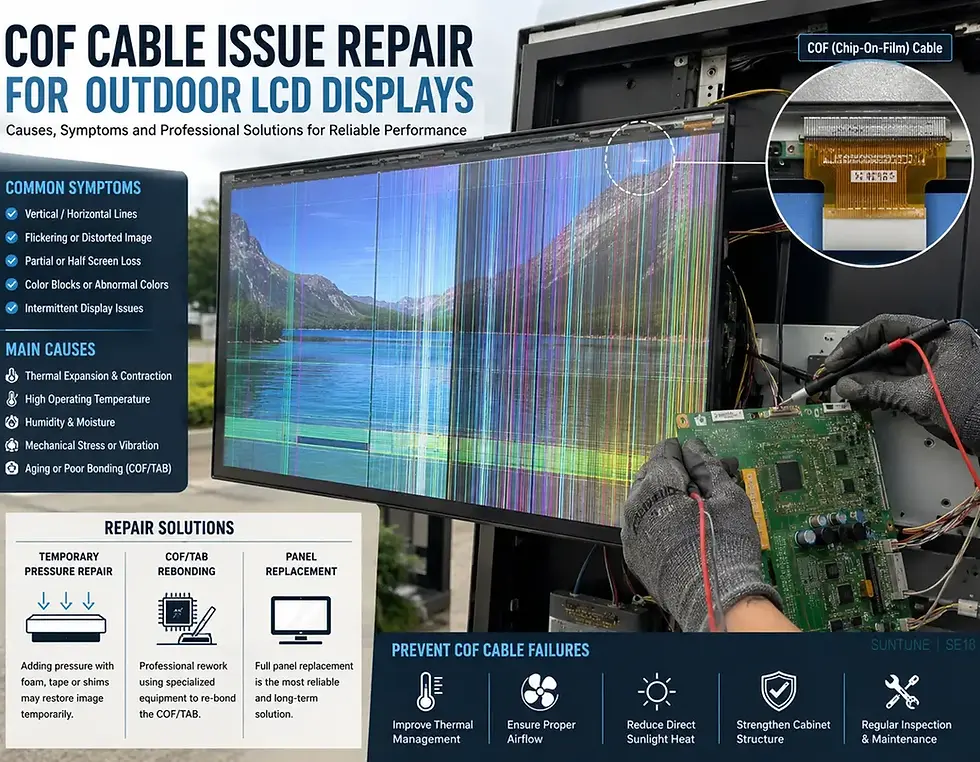
Many field failures attributed to “hardware defects” are actually thermal failures.
When systems overheat, symptoms may include:
Screen dimming or shutdown
Color distortion
System reboot loops
Reduced backlight lifespan
Without proper diagnostics, these issues are often misinterpreted as electronic faults rather than heat-related degradation.
This highlights the importance of understanding the root causes behind why outdoor lcd displays overheat in summer.
The Future of Thermal-Resilient Outdoor Displays
As outdoor digital signage expands into hotter and more demanding regions, thermal engineering will become one of the most critical design disciplines.
Future systems are expected to integrate:
AI-based thermal monitoring
Adaptive cooling control systems
Advanced phase-change materials
Solar-reflective nano-coatings
Predictive maintenance based on thermal data
The industry is moving toward displays that are not only weatherproof but thermally intelligent, capable of adjusting performance dynamically based on environmental conditions.
Prevent Outdoor Display Overheating with Engineered Solutions
Overheating is one of the most common causes of outdoor LCD failure during summer operations, but it is also one of the most preventable through proper engineering.
At SUNTUNE SignageHub, we design industrial outdoor LCD systems with advanced thermal management, optimized enclosure structures, and high-brightness stability engineered for extreme summer environments.
If you are planning a transportation project, retail deployment, or smart city installation, our engineering team can help you select the right thermal design for your application.
👉 Contact us today to discuss your outdoor digital signage requirements and build a system designed for long-term thermal reliability and performance.


Comments